

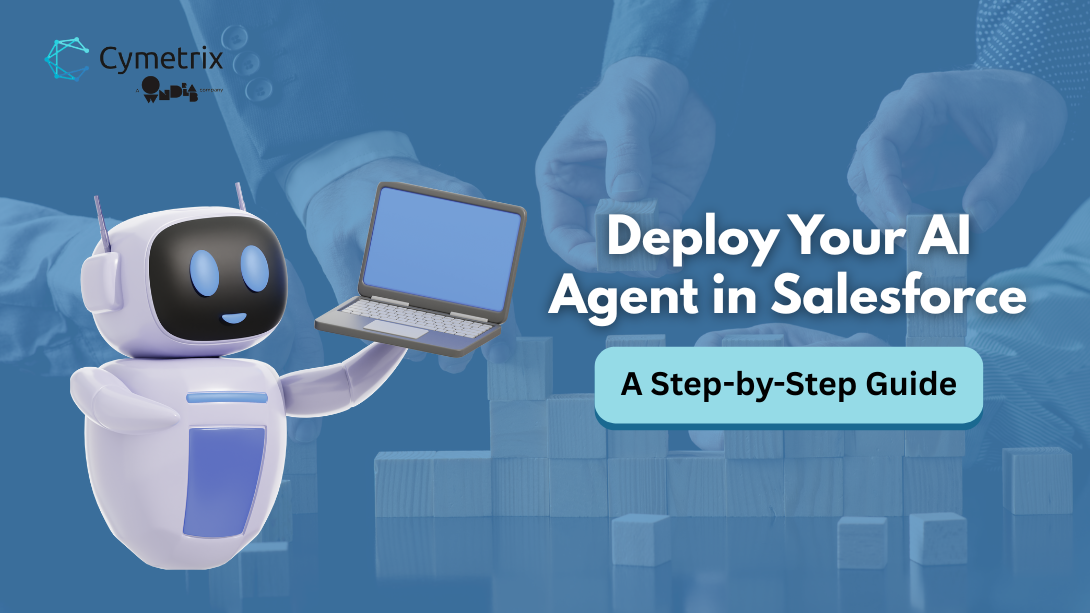
Struggling to manage tasks and meet customer expectations? Learn how to build an AI agent in Salesforce step by step: prepare data, define use cases, choose Agentforce templates or custom AI models, connect, train, and monitor effectively.
Introduction
Keeping up with daily tasks and rising customer expectations is getting tougher for businesses. That’s why many are turning to Salesforce to build and deploy an AI agent, a smart assistant that automates routine work, speeds up responses, and improves customer experiences. This guide walks you through the basic steps anyone can follow, while tools like Agentforce (note: part of Salesforce's newer AI/GenAI ecosystem, still evolving and closely tied to Einstein Copilot and Salesforce Data Cloud, availability may vary across orgs) can simplify the process for teams looking to scale.
If you’re planning to leverage Agentforce, learn more about what Agentforce is and how it works before getting started.
Still, questions often arise: Where should you begin? Do you need coding skills? Can your team handle it in-house, or will expert support be required?
In this blog, you’ll learn how to set up and deploy an AI agent in Salesforce, using low-code tools where possible, and understand when technical expertise may help. By the end, you’ll have a clear workflow to make your team more efficient and your customer interactions smarter.
Before you get started: What kind of Salesforce AI Agent Implementation are you looking for?
If your goal is to quickly set up an AI agent to handle specific tasks-like answering common queries, assisting sales reps, or automating internal workflows-then you’re in the right place. This guide is designed to help you get started with a practical, low-code approach and see results fast.
But if you’re thinking beyond a basic setup-toward a scalable, enterprise-grade AI implementation that connects multiple data sources, integrates with external systems, and operates with strong governance and security-then the approach changes significantly. At that level, it’s not just about deploying an agent, but designing a solution that fits into your broader business and technology ecosystem, often leveraging platforms like Agentforce.
That’s where a more structured, expert-led approach can make all the difference-helping you move faster while avoiding costly missteps.
Whether you’re exploring Agentforce implementation or looking to build more advanced, independent agentic AI solutions within or beyond Salesforce, Cymetrix team supports both consulting and end-to-end implementation-so you can move from idea to impact with clarity and confidence. Schedule a consultation with our experts.
Pre-Deployment Checklist: AI Readiness in Salesforce
Before starting your AI agent in Salesforce, ensure your organization is fully prepared. Think of this as setting the foundation before construction.
- Data Quality - Clean, accurate, and up-to-date records in Sales Cloud or Service Cloud are essential. Poor data leads to poor AI responses.
- Permissions - Set proper role-based access so your AI agent only interacts with the right data and avoids exposing sensitive information.
- Integrations - Decide if your AI agent will stay Salesforce-native or connect with external apps like Slack, WhatsApp, or ERP systems.
- Cloud Setup - Verify you’re on the right Salesforce Cloud product (Sales Cloud or Service Cloud) to match the purpose of your AI agent.
Once the fundamentals are ready, let’s dive into setting up and activating your Salesforce AI agent.
Step-by-Step Guide to Deploy an AI Agent in Salesforce:
Step 1: Define Use Cases for Your AI Agent
First, decide what you want your Salesforce AI agent to do. It could be answering common customer questions, helping sales teams with updates, or supporting employees with HR and IT queries. Start small by choosing one or two clear tasks.
This makes setup faster and results easier to track. Once the agent works well, you can expand its role later.
Step 2: Choose Your AI Model or Prebuilt Agent
You can approach building your AI agent in two main ways:
- Prebuilt Agents (Agentforce Templates) – Ready-to-use for tasks like customer service or sales support. Easy setup, low-code, and no coding required.
- Custom AI Models (External LLMs) – Connect models like OpenAI, Anthropic, or Azure OpenAI for complex use cases. These large language models (LLMs) are a type of generative AI, capable of understanding and generating text, making them ideal for advanced Salesforce automation scenarios. Important: this integration is not plug-and-play; it typically requires APIs, middleware (e.g., Apex or MuleSoft), prompt orchestration, and security configuration via Salesforce's Einstein Trust Layer.
For beginners, Agentforce templates are the fastest way to start, since they come with built-in Salesforce data support. For advanced use cases, working with an Agentforce consulting partner can help you select the right approach and ensure seamless integration.
Step 3: Connect to Salesforce Objects & Data
Your AI agent works best when connected to the right Salesforce objects and structured data. Agentforce simplifies this with prebuilt connectors for common Salesforce objects.
Key actions include:
- Mapping objects like Contacts, Accounts, Cases, or Opportunities.
- Ensuring proper permissions so the agent only accesses authorized data.
- Integrating with external tools if additional functionality is needed.
For more advanced scenarios, Agentforce can leverage Salesforce Data Cloud to unify and connect customer data across multiple systems. Simple mapping is low-code, but complex integrations may require coding and guidance from a Salesforce expert.
Step 4: Train & Test Your Agent
Once connected, you’ll need to train and test your agent for accuracy.
Actions include:
- Feeding example interactions and refining responses.
- Testing with a small pilot group to identify gaps or unexpected behaviors.
- Iterating until the agent performs reliably.
Basic training can usually be handled internally, while advanced scenarios or large datasets may require coding or guidance from a technical expert.
Step 5: Launch and Monitor in Production
Deploy your AI agent in Salesforce and monitor performance for continuous improvement.
Key steps include:
- Rolling out gradually to teams or customer channels.
- Tracking metrics like resolution time, accuracy, and user satisfaction.
- Refining workflows and responses based on real-world usage.
Smaller deployments can be handled with low-code tools, while larger-scale automation or complex integrations may require coding or guidance from a Salesforce expert.
Security, Privacy & Governance Considerations
From our experience, security is essential when building AI agents in Salesforce. With Agentforce’s Einstein Trust Layer, businesses get a secure foundation, but it’s still important to:
- Protect personal data – Use masking, anonymization, or filters to prevent exposure of sensitive information.
- Set boundaries – Configure the agent to escalate complex or sensitive queries to humans automatically.
- Follow compliance rules – Ensure alignment with GDPR (General Data Protection Regulation), CCPA (California Consumer Privacy Act), HIPAA (Health Insurance Portability and Accountability Act), and internal policies.
- Audit regularly – Use monitoring tools to identify risks and refine governance practices.
These steps help ensure your AI agent remains secure, compliant, and trustworthy.
Conclusion
From our experience, building an AI agent isn’t just adding a tool; it’s transforming how your business communicates and supports customers. Platforms like Salesforce Agentforce make it easier to create AI agents that can answer questions instantly, guide users smoothly, and provide reliable 24/7 support.
Simple steps like defining use cases and basic training can be done in-house, while complex integrations and scaling often need a Salesforce expert.
If you’re ready to explore building an AI agent with platforms like Salesforce Agentforce, talk to our experts today and take the first step toward a smarter, more efficient business.
FQAs
1. Can I build a custom AI agent in Salesforce?
Yes. You can either use Agentforce templates for a quick, low-code setup or connect your own external LLM (like OpenAI or Anthropic) to build a fully custom AI agent. The second option usually requires coding and technical expertise.
2. Do I need coding skills to deploy an AI agent?
Not always. Basic setup and training can be done with low-code, but complex integrations may require coding and a Salesforce expert.
3. Which LLMs are supported by AgentForce?
AgentForce supports prebuilt templates and external LLMs like OpenAI, Anthropic, and Azure OpenAI.
4. How long does it take to build and deploy an AI agent in Salesforce?
It varies; simple agents can be deployed in days, while complex setups may take weeks.
5. How do I ensure data quality before deploying an AI agent?
Clean, accurate, and up-to-date Salesforce records, proper permissions, and structured data are key.
6. How can I monitor and improve my AI agent after launch?
Track metrics, collect feedback, refine responses, and iterate regularly to improve performance.
7. How to build an AI assistant for Salesforce and ERP data queries?
To build this, integrate Salesforce with your ERP system using APIs or middleware, then connect an AI model that can access and interpret data from both systems.
8. How can I make an AI assistant answer questions about Salesforce and ERP data?
By unifying data from both systems and enabling secure access, the AI agent can retrieve and respond with accurate, cross-platform insights.
9. How do I set up AI agents that can read and write to Salesforce and other systems?
This requires API integrations, role-based permissions, and workflow configuration so the AI agent can safely retrieve and update data across systems. While basic integrations can be handled in-house, more complex setups, especially those involving ERP systems, real-time data syncing, and governance, often require support from a Salesforce expert to ensure scalability, security, and reliability.
- Log in to post comments